Work
The project dashboard
Tasks, who I'm waiting on, what to bring to each 1:1, and a week of time blocks I plan on a board. When I ask, my chatbot reads my sent mail and meeting notes and suggests tasks. I say yes or no.
Template on GitHub ↗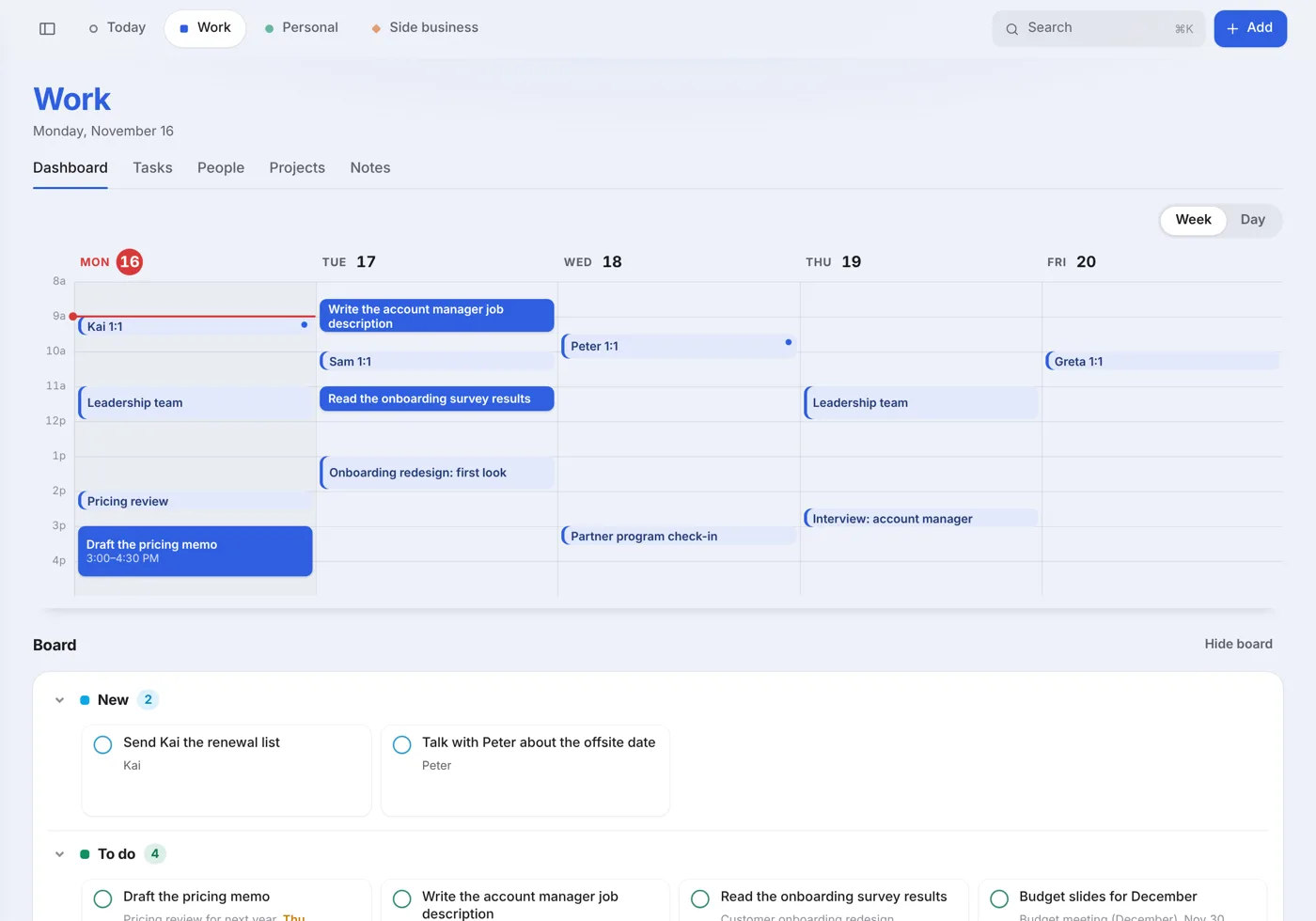
My tasks and my health records live in a database on my own Cloudflare account. I add to it and ask it questions from a chat app, usually Claude, and I check on things at a private website. Claude Code wrote all the code. I described what I wanted and told it what was wrong.
A chat app is a quick way to add things. I can say “Sam owes me the numbers by Thursday” faster than I can fill in a form. It's a poor place to keep them, though. Chats scroll away, each app remembers things its own way, and when I tried a different app I started over.
So the record lives in a database I own. The chat app is how I get to it. Claude, ChatGPT and GrokBot all connect to the same server and see the same data, so I can switch apps without losing anything.
The database
Cloudflare D1, which is SQLite. Plain tables, so “who am I waiting on?” has an exact answer.
The MCP server
The chatbot's way in: a short list of tools and the standing instructions. The rules live here, not in any app.
The website
Where I look. Charts, lists, what's next. It has no AI in it.
The sign-in
Cloudflare Access. Only my email gets a login code, for the site and for every chat app I connect.
Work
Tasks, who I'm waiting on, what to bring to each 1:1, and a week of time blocks I plan on a board. When I ask, my chatbot reads my sent mail and meeting notes and suggests tasks. I say yes or no.
Template on GitHub ↗Health
Numbers from Apple Health on my phone, food against my targets, my lifting program and what to lift today, and the week's weather for picking bike days. Its coach answers from sources I chose, with the page or the link. Claude and ChatGPT can read Apple Health; GrokBot can't yet, so I sync from one of the other two.
Template on GitHub ↗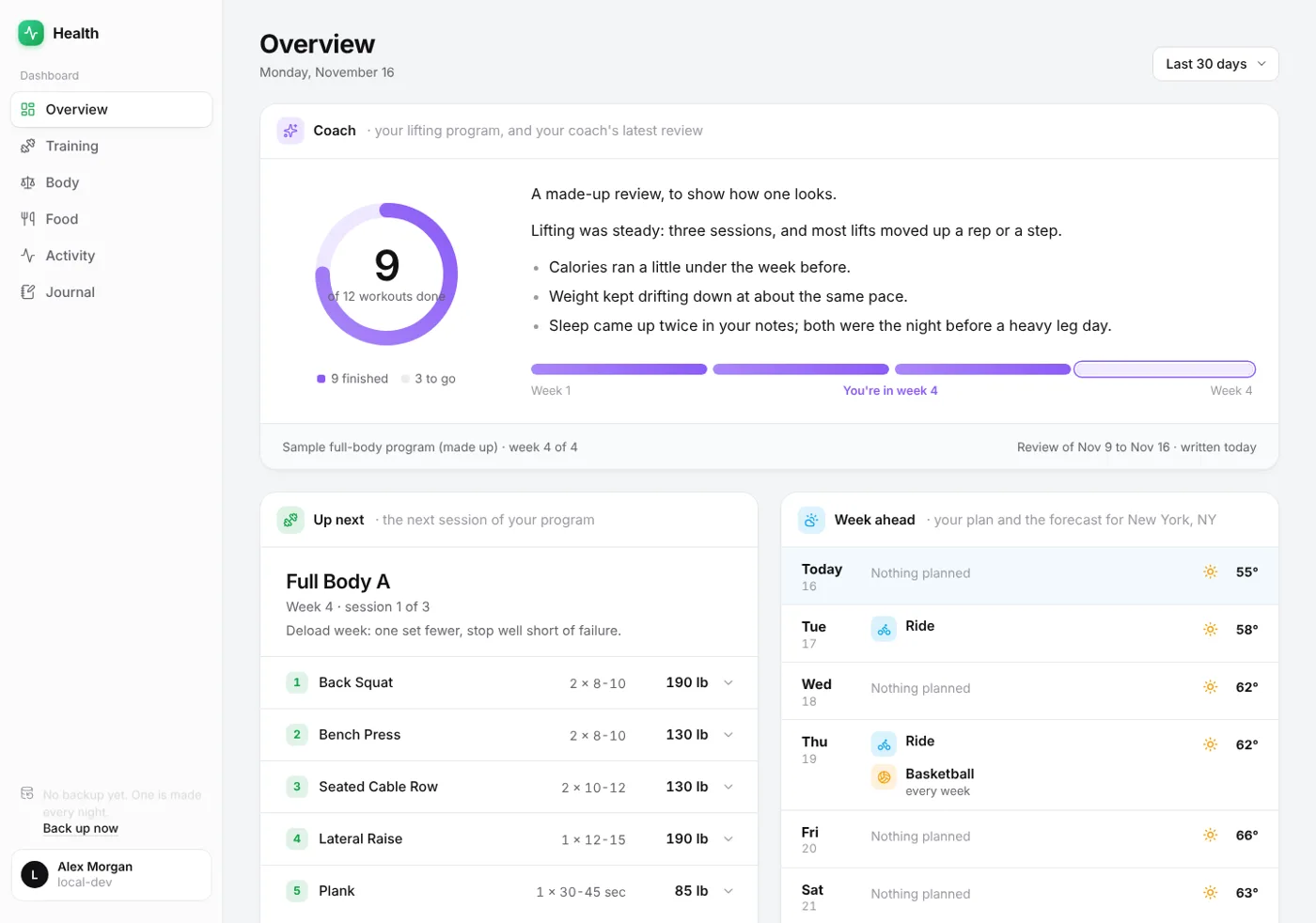
They're built the same way but kept completely separate: their own code, database, sign-in and backups.
What it costs
$0/month
Both dashboards run on Cloudflare's free plan, with room to spare. A personal project uses a sliver of what it allows.
100,000
requests a day
The two servers (Workers).
5 GB
of database
D1, with 5 million rows read and 100,000 written a day.
10 GB
of storage
R2, for the nightly backups.
50
people can sign in
Access. I only need one.
Cloudflare already runs a huge network for its paying customers. A Worker doesn't get a server that sits idle waiting for you. It starts when a request comes in and is done a few milliseconds later, so a hobby project costs them close to nothing. It's also a bet: people who try it on side projects bring it to work later.
Every account gets a free address ending in workers.dev, and it works fine.
If you want your own name, I'd buy it at Hover
and point it at Cloudflare. Either way it stays private: Cloudflare Access puts a sign-in in
front, and only your email gets the code.
Limits from Cloudflare's docs, November 2026. R2 may ask for a card on file even on the free plan.
You don't need to write code. You need an AI coding tool, a free Cloudflare account, and a clear idea of what you want to track. The guide goes step by step and gives you what to say to your AI at each one.